Tidal Profile
The ScriptableObject that defines the FFT wave spectrum.
A Tidal Profile describes the physical wave simulation that
TidalCompute runs. It controls how wave energy
is distributed across the three cascades and how wind sea and swell combine into the final surface.
Creating a profile
Create a profile asset from the Project window:
Assets → Create → Tidal 2 → Water Profile
Assign it to the Profile field on TidalCompute. If a profile is missing,
the compute inspector shows an error with a Create & Assign fix button.
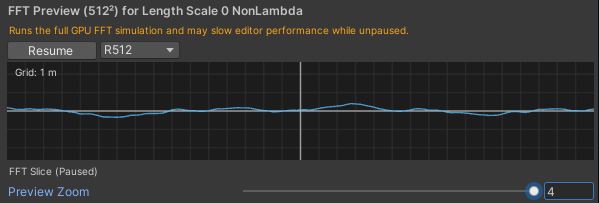
Simulation parameters
The cascade length scales and dispersion settings shape the overall character of the water before any spectrum tuning.
| Field | Type · Default | Description |
|---|---|---|
| Length Scale 0 | float (m) · 250 | World size of the largest cascade - broad swells. |
| Length Scale 1 | float (m) · 17 | World size of the mid cascade - medium waves. |
| Length Scale 2 | float (m) · 5 | World size of the smallest cascade - ripples and fine detail. |
| Grav Const | float · 9.81 | Gravity used in the dispersion relation. Lower values slow wave propagation; higher values increase energy. |
| Depth | float (m) · 500 | Water depth for dispersion. Shallow values make waves slower and steeper; large values behave like deep ocean. |
| Lambda | float 0-1 · 1 | Horizontal chop multiplier. Higher values add realistic choppiness but can introduce wave inversion artifacts at the crests. |
Local & Swell spectra
Each profile contains two independent wave spectra (DisplaySpectrumSettings) that are
combined during simulation:
Both spectra expose the same set of fields:
| Field | Type · Default | Description |
|---|---|---|
| Amplitude | float | Overall contribution of this spectrum to wave height. |
| WindSpeed | float | Drives the JONSWAP energy and overall wave intensity. |
| Direction | float (deg) | Primary wave travel direction (0-360°). |
| Fetch | float | Distance the wind travels over water before waves form. |
| DirectionalSpread | float | How tightly waves align to the main direction. |
| Swell | float | Blends this spectrum between local wind-wave and long-travelled swell behavior. |
| PeakSharpness | float (γ) | Strength of the dominant frequency peak. |
| ShortWavesFade | float | Suppresses small-scale ripples for a smoother surface. |
Wave inversion
In some conditions waves can appear to fold over themselves or crease sharply at the crest - known
as wave inversion. It is most common with very high wind speed, high peak
sharpness (γ), or high Lambda.
Lambda in small steps until the artifacts
disappear. Setting it too low makes waves look stiff or overly vertical, so the right balance
depends on your wind speed, peak sharpness, and artistic goals.